> ## Documentation Index
> Fetch the complete documentation index at: https://hub.hcompany.ai/llms.txt
> Use this file to discover all available pages before exploring further.
# Frontend interface
Surfer-H includes a web frontend for interacting with the agent. It has a few advantages over the CLI.
### Features
* **Task creation:** Describe what you want to accomplish in natural language through a web interface.
* **Real-time monitoring:** Watch your agent complete tasks with live updates.
* **Trajectory management:** View, replay, and manage automated browsing sequences.
* **Settings configuration:** Adjust agent behavior, target URLs, and execution parameters through a UI.
* **Example tasks:** Start from pre-configured example prompts.
### Quick start
To start both the backend and frontend together, run this from the root directory:
```javascript theme={null}
./launch.sh
```
This starts both the Surfer-H backend and the Next.js frontend, and makes the web interface available at [http://localhost:3000](http://localhost:3000).
### Interface preview
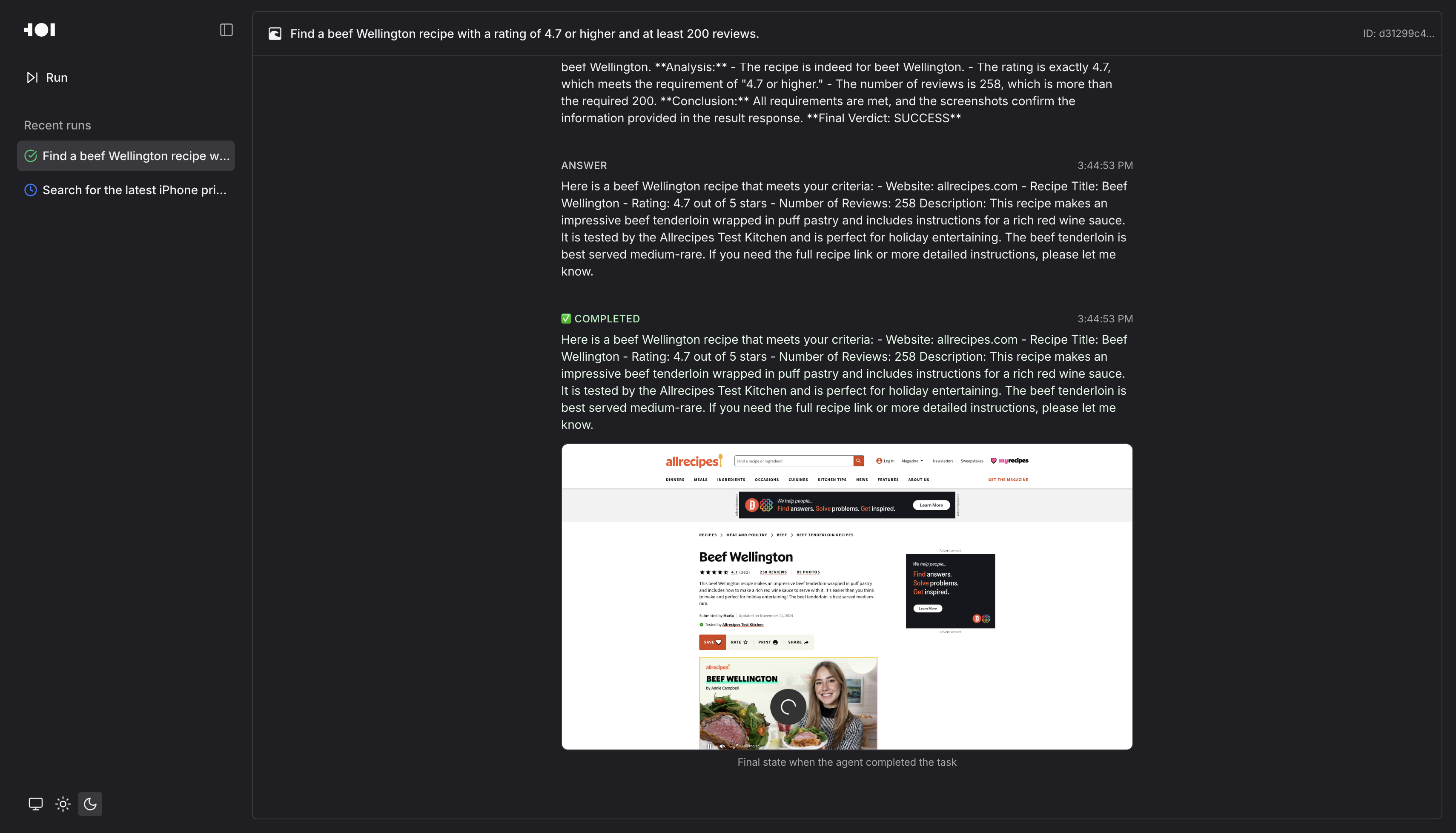 *The Surfer-H web interface showing real-time agent monitoring as it searches for a beef Wellington recipe*