

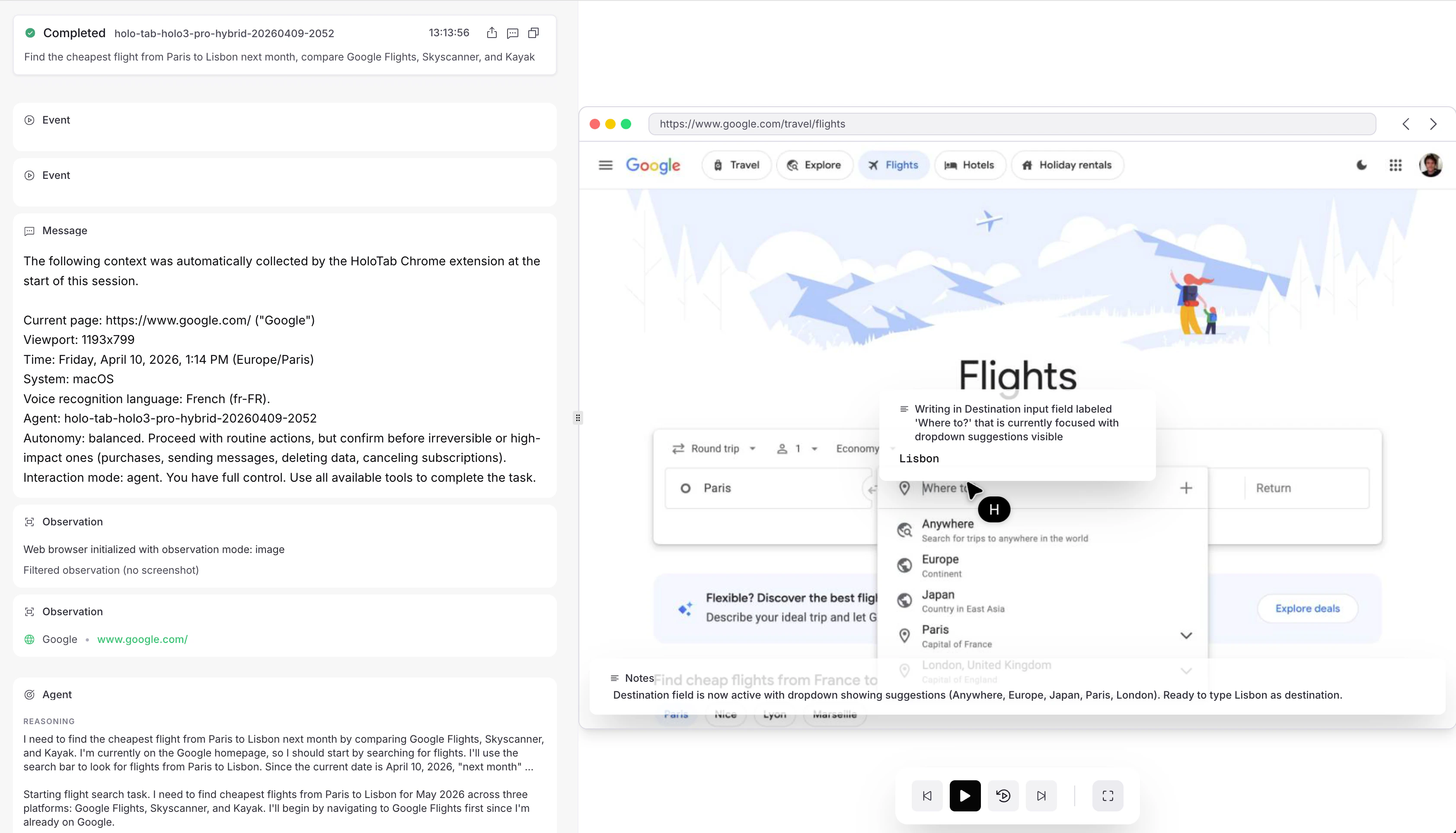
Agent View: watch a session live, or replay it afterward
agent_view_url links straight there. Open a running session to see what the agent sees while it works, the quickest way to prompt-tune, debug an unexpected detour, or confirm a run hasn’t stalled; once it terminates, scrub through the full trajectory (every observation, action, and message) to audit what happened. The view reads the same events stream your code does, so anything the API exposes is reflected in the UI.
Everything on this page is addressed to the session’s id and works the same whether the agent runs alone or delegates to subagents.
In the Python and TypeScript SDKs, starting a session returns a lightweight handle bound to that id, and the snippets below read and steer through it. Every operation is also available as a direct client call or a raw HTTP request, as each reference page shows.
If your organization is at its concurrency limit, a new session first sits in queued and starts on its own once a slot frees up.
Watch a run
There are three ways to read a session, from cheapest to most complete:statusreturns a small snapshot of the current state, step count, and token usage. Poll it on an interval as a health check or to detect a terminal state.changeslong-polls from an event index: the call blocks until something new happens, then returns the new events and the finalansweronce it lands. Use this while a run is active.eventsis the complete, paginated record of everything the agent observed and did. Page through it to replay or audit a run after the fact.
Stream events as they arrive
changes is a single long-poll: one request that returns the events available past an index. To consume a whole run as a live feed, the SDK handle exposes stream(), an iterator that runs the long-poll loop for you and yields each event in order until the session settles. It resumes from_index and drops the 204 no-change responses automatically, so you only see events.
By default it stops as soon as the session settles (a terminal state, or idle awaiting your next message); pass until="terminal" to keep the feed open across the idle turns of an interactive session. stream() is a read-only view and does not answer tool calls: for runs that use custom tools, use wait_for_completion / run_session, which run the tools for you.
Steer a running agent
As long as the session is not in a terminal state, you can intervene:- Send a message to add context or redirect the agent mid-run. The message is picked up on the next step; a message to an
idlesession also wakes it. See Send a message. - Pause and resume to halt the agent with its state preserved (for review or cost control), then continue. Sending a message auto-resumes a paused session. See Pause and Resume.
- Force an answer to tell the agent to stop exploring and commit to a final answer from what it has so far. See Force an answer.
- Cancel to stop the session for good; it ends in
interrupted. See Cancel.
Hold an interactive conversation
By default a session ends as soon as the agent answers. Setidle_timeout_s when you create it to keep it open: after each answer the session enters idle and waits that long for your next message before terminating. One session becomes a multi-turn conversation that keeps its full context and environment state across turns.
status flip to idle between turns; it terminates once a turn goes unanswered for idle_timeout_s.
Queued sessions
Creating a session while your organization is at its concurrency limit doesn’t fail: the create returns201 with status queued, and the session starts automatically, oldest first, as running sessions finish. A queued session goes through the normal lifecycle (queued → pending → running → terminal) and fires a webhook on every transition. If you prefer an immediate error, set queue: false on the create body to get a 429 instead.
Messages sent to a queued session are buffered and delivered when it starts; pause and resume are not available until then, and cancelling dequeues it immediately. The queue holds up to 1000 sessions per organization; beyond that, creates return 429 again. Child sessions are the one exception: a create carrying parent_session_id fails fast with 429 at capacity, because a child queued behind its own running parent could wait forever.
Queueing makes batches simple: fire all your tasks at once and let the platform pace them to your quota.
Read how the run ended
When the session settles, its status carries machine-readable signals about how the run went, so your code can branch without parsing prose. They appear onstatus, on the Session object, and on changes.
Outcomes
A session can endcompleted and still not have done what you asked, so the agent reports its own assessment alongside the final answer:
The outcome is the agent’s self-assessment, not verified ground truth. It is still a strong routing signal:
blocked usually means a human needs to connect an account or a vault, and infeasible usually means retrying is pointless. For high-stakes flows, validate the answer itself. outcome is null when the agent ended without reporting one.
TypeScript
Error codes
When a session endsfailed or timed_out, its status carries an error_code from a small fixed taxonomy and an error message matching the code. The code tells you whether a retry makes sense:
error_code is null unless the status is failed or timed_out. New codes may be added over time, so treat unknown values like internal. The error message is a stable template derived from the code, never raw internals, so branch on error_code and log the message.
Python